



October 7, 2026 By The Scale Rankings
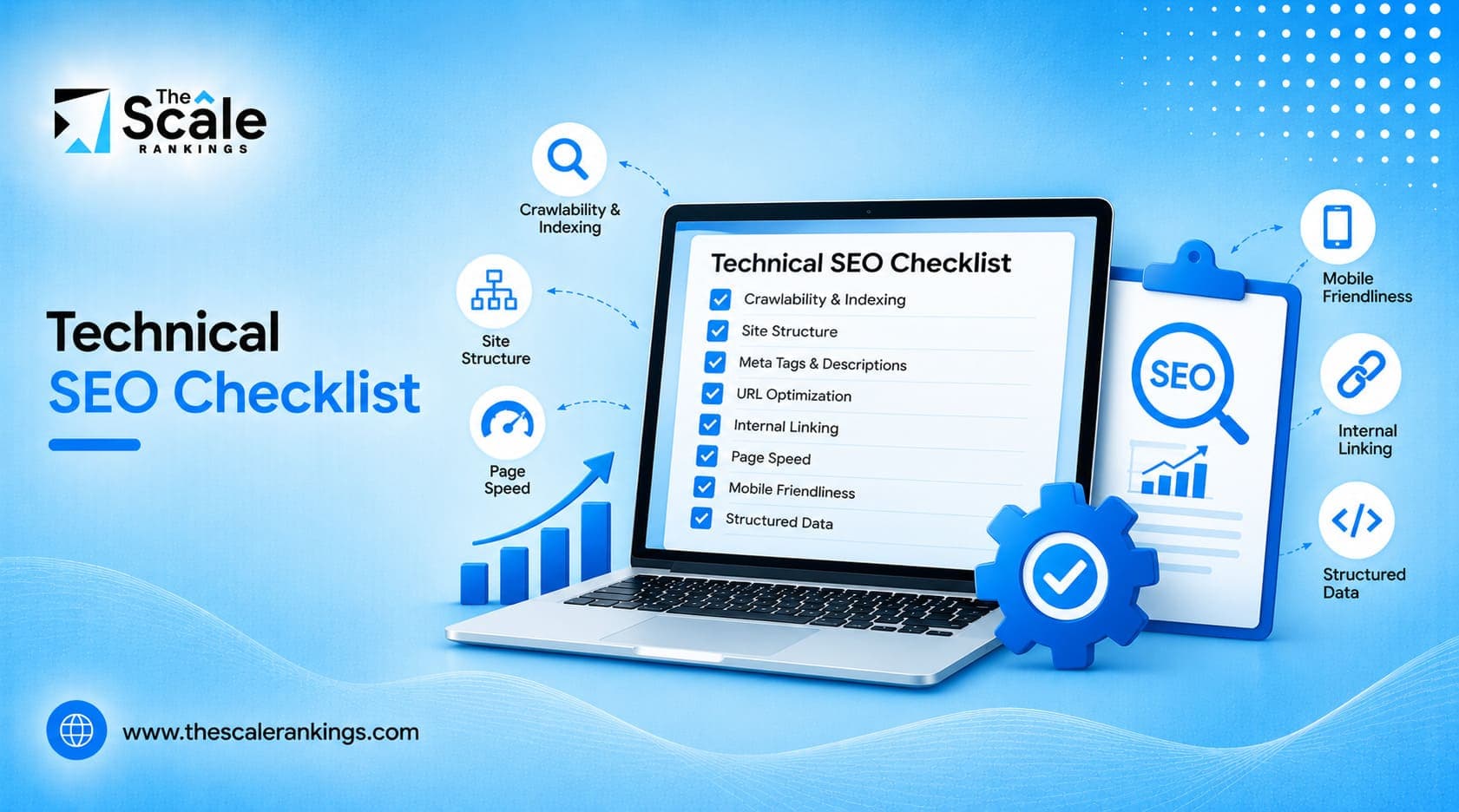
A technical SEO checklist is a list of fixes that make your website easy for search engines to crawl, index, and render. It covers site structure, HTTPS, XML sitemaps, canonical tags, Core Web Vitals, and, in 2026, how AI answer engines read your pages.
Get these right and bots can reach your best content fast. Get them wrong and even great content stays hidden.
This guide walks through 15+ technical SEO fixes, grouped into five areas. Start at the top and work down.
Quick answer: Open your site to the right bots, fix anything that blocks crawling or indexing, make sure JavaScript isn’t hiding your content, hit the Core Web Vitals targets, and lock down HTTPS and redirects. Then recheck every quarter.
Search has changed. Googlebot now shares the web with AI answer engines like ChatGPT, Perplexity, and Google AI Overviews. These tools don’t just index your pages. They read them, summarize them, and quote them. If you want a refresher on the basics first, our guide on how search engines work covers crawling, indexing, and ranking in plain terms.
The core of technical SEO hasn’t changed: fast pages, clean code, and a site bots can move through without hitting walls. What’s new is that the same fixes now decide whether AI tools can pull a clear answer from your page.
You can run this checklist yourself or hire a technical SEO agency to handle it. Either way, you need a roadmap. Here it is.
AI tools need simple text, clear headings, and direct facts. The cleaner your code, the easier it is for them to pick your content for a summary or citation. This is the technical side of answer engine optimization and generative engine optimization (GEO).
Set clear rules for AI bots. If you want traffic from AI answers, allow the search bots those tools use to fetch live pages. If you don’t want your text used for model training, block the training bots separately. The two are different crawlers with different jobs, so check each AI company’s current bot names before you write the rules.
AI engines look at facts, not just keywords. Add JSON-LD schema for your Organization, Product, Article, and Author pages. Use sameAs to point to your official profiles so bots know exactly who you are.
Put a one-sentence answer right under every main heading. Break text into short blocks. Use real HTML tags, <h2>, <ul>, <table>, instead of styled <div> elements that look like headings but aren’t.
Clean formatting turns your pages into ready-made answers. Keep the layout simple and you stay visible.
Bots can’t rank pages they can’t find. This part of the checklist guides them straight to your best pages and keeps them off junk URLs.
Open Google Search Console and confirm your key pages aren’t blocked. Never block /css/ or /js/ folders, because bots need them to render your layout. Keep staging and admin areas blocked.
E-commerce filters can spin up thousands of near-duplicate URLs. Point them back to the main category page with rel="canonical", and block dynamic sort and filter parameters in robots.txt. This matters most on e-commerce sites with many filters.
Raw server logs show where Googlebot actually spends its time. Look for slow responses, repeated errors, and crawl hits on pages that don’t matter. Fix dead ends so bots don’t get stuck.
Orphan pages have zero internal links pointing to them. Run a crawl with a tool like Screaming Frog, or request a free technical SEO audit, to find them. Then link each one from a menu, a category page, or a related post.
Clear pathways mean new pages get indexed quickly and your server isn’t wasting bandwidth. Good crawl health is the first step to higher rankings.
Finding a page isn’t enough. Bots also have to load it and read the code correctly. JavaScript errors often hide content, and messy canonical tags create duplicates.
Bots read raw HTML first and run JavaScript later, sometimes days later. Use the URL Inspection tool in Search Console and compare the rendered page with the raw response. Your headings, main text, and title should all be there before JavaScript runs.
Your sitemap should list only live, indexable URLs. Remove redirects, broken links, and noindex pages. Set it to update automatically when you publish.
Canonical tags tell bots which URL is the main one. Use the full URL, including https:// and your preferred www or non-www version, and keep trailing slashes consistent across the site.
A soft 404 is a “page not found” message served with a 200 OK status. Google treats it as a real page. Return a true 404 or 410 for deleted pages so they drop out of the index quickly.
Clear indexing rules stop duplicate content problems before they start, and clean status codes keep your index accurate.
Fast pages rank better and convert better. Page speed is one of the few ranking signals Google has confirmed, and it’s the one most sites can fix fastest.
INP measures how fast the page reacts when someone taps or clicks. Break long JavaScript tasks into smaller pieces and remove third-party scripts you no longer use.
LCP measures how fast your main image or banner appears. Add fetchpriority="high" to the hero image and serve it in AVIF or WebP to cut file size.
Layout shift happens when elements jump around while loading. Set explicit width and height on images, embeds, and ad slots. Preload custom fonts, or use a system font fallback, so text doesn’t reflow.
Serve static files through a Content Delivery Network. Turn on Brotli (or at least Gzip) compression. Both are usually a setting, not a project.
Fast sites keep visitors around. Fixing lag and layout jumps is a direct win for both users and rankings.
Security warnings, broken redirects, and wrong language tags all chip away at trust. These fixes keep your site safe and send global visitors to the right pages.
Redirect every HTTP URL to HTTPS with a permanent 301. Add an HSTS header to force secure visits. Update old image and script links that still start with http://.
A chain is when URL A goes to B, and B goes to C. Each hop slows the page and wastes crawl time. Point old links straight to the final destination in one step.
If you serve more than one language or country, use hreflang to match each page to its audience. Every version must link back to the others (return tags), and you should include an x-default for everyone else. Skip this one if you’re US-only.
Keep time to first byte under 800 ms. Use caching so your database isn’t hit on every request, and set up uptime alerts so you hear about outages before your customers do.
A secure, stable server keeps your site online and crawlable. That’s the base everything else sits on.
Gearstar builds high-performance transmissions. Their site had slow page speed and technical SEO issues alongside weak keyword targeting and a thin backlink profile.
We started with a technical audit to find structural problems, then fixed the speed and site issues as part of a wider SEO plan that included on-page work, content, and local SEO. Over 12 months, organic traffic grew by 53.07%, and the site earned top rankings for high-intent automotive keywords.
The lesson for this checklist: technical fixes rarely work alone, but nothing else works without them. Read the full Gearstar case study.
You don’t have to do all 19 items this week. Start with anything that blocks crawling or indexing (Pillars 2 and 3). Then speed (Pillar 4). Then the AI and security items.
Not sure which items apply to your site? Our guide on how to do a technical SEO audit shows how to find your problems first, so you only fix what’s broken.
Recheck everything every quarter, and after any redesign or platform move. Once the technical base is solid, move on to the content and link work in our guide to SEO techniques.
If your site is slow, missing from search, or not showing up in AI answers, The Scale Rankings can find what’s holding it back and fix it. We work alongside your team, skip the confusing reports, and focus on traffic, visibility, and sales.
Start with a free technical SEO audit, or compare our SEO packages to see what ongoing support looks like.
The Scale Rankings is your go-to partner for all things SEO. We focus on crafting personalized SEO strategies that deliver real results, from boosting your rankings to increasing organic traffic. With our expertise in on-page SEO, off-page SEO, and technical SEO, we ensure your brand stands out in the digital crowd.
The Scale Rankings ensures to make sure your audience finds exactly what they’re looking for. As one of the best search engine optimization (SEO) companies, we dig into the core of your business, crafting strategies that hit home across industries. Our services include:
 Let’s Chat
Need help with your next SEO project? Our experts are here to help. Reach out to us for a free consultation or more information.
 +1 877 33 SCALE
 [email protected]
 1870 The Exchange SE Ste 220 PMB 47489, Atlanta, GA 30339-2171



 Local SEO
 E-Commerce SEO
 International SEO
 SEO Consulting
 Conversion Rate Optimization
 Content Marketing
 Content Strategy
 Website Content
 Answer Engine Optimization
 Amazon SEO
 Generative Engine Optimization
 AI Citation Building
 Entity SEO